How can we help?
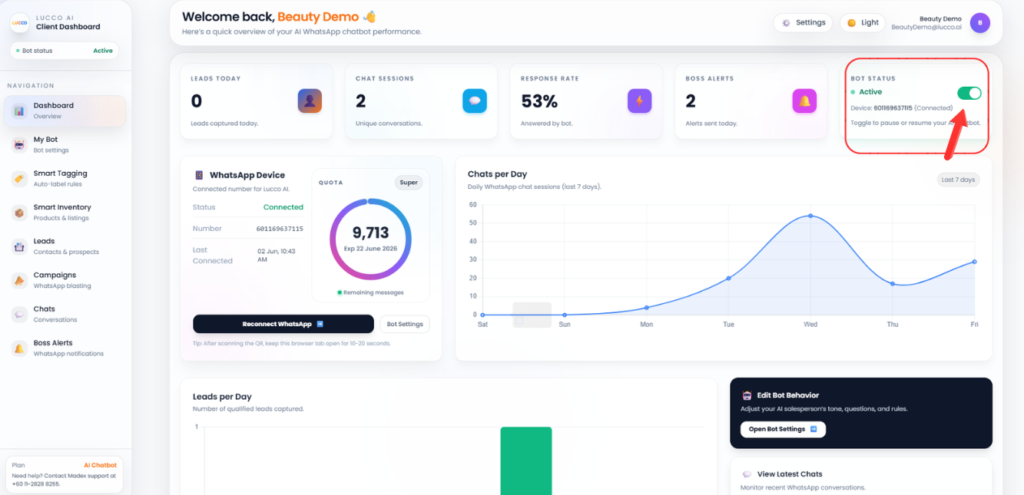
How to Turn On / Off Bot Status
This step controls the main AI Bot status for all customer chats.
Steps
- Open the Dashboard page.
- On the top right side, look for Bot Status.
- You will see an On / Off button.
- Turn On Bot Status if you want the AI Bot to reply to customers automatically.
- Turn Off Bot Status if you want to stop the AI Bot from replying to all customers.
- After changing the status, you may send a test message to check whether the bot is replying correctly.
Important Note
- Bot Status is the main switch for the whole AI Bot system.
- If Bot Status is turned off, the AI will stop replying to all customers.
- If you only want to stop the AI for one specific customer, please use the AI On / AI Off button inside that customer chat instead.