How can we help?
How to Setup System Prompt / Instructions
This article explains what a prompt is and why it is important for your AI Bot.
A prompt is the main instruction that teaches the AI Bot how to reply to customers.
You can think of the AI Bot as a new staff member. If you do not teach the bot your company information, services, prices, booking rules, and reply style, the bot may not be able to answer customers correctly.
What the Prompt Includes
A complete prompt usually includes 4 main parts:
- Bot Basic Settings
- Business Information
- Bot Must Follow Rules
- Custom Sales Flow
Steps
- Open the My Bot page.
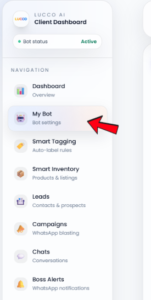
- On the My Bot page, look for System Prompt / Instructions.
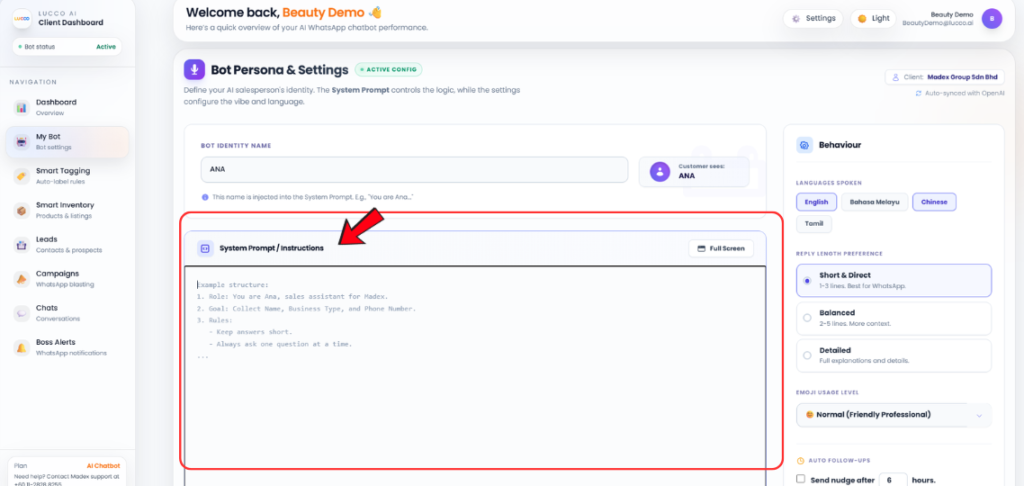
- Click the Prompt Template.
- Fill in your company information and bot settings inside the template.
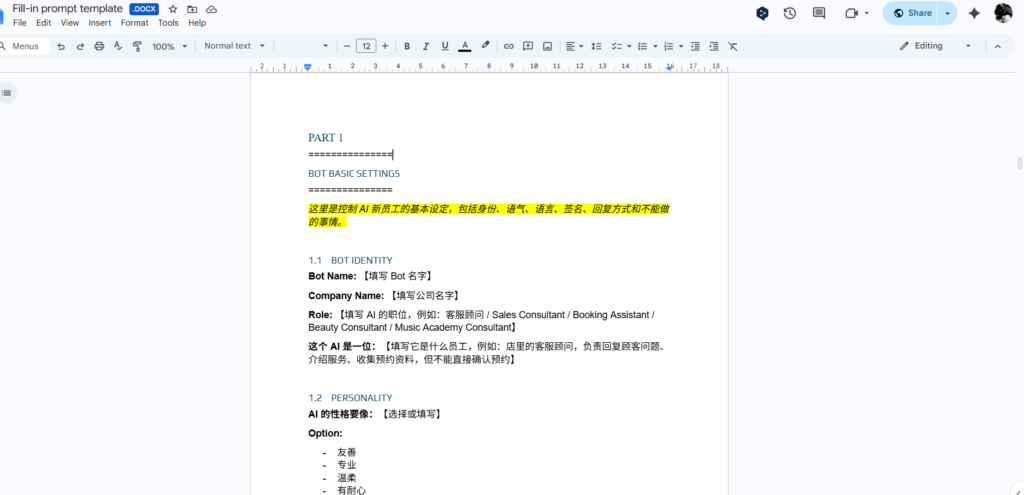
- After completing the template, copy the full prompt.
- Paste it into the System Prompt / Instructions text box.
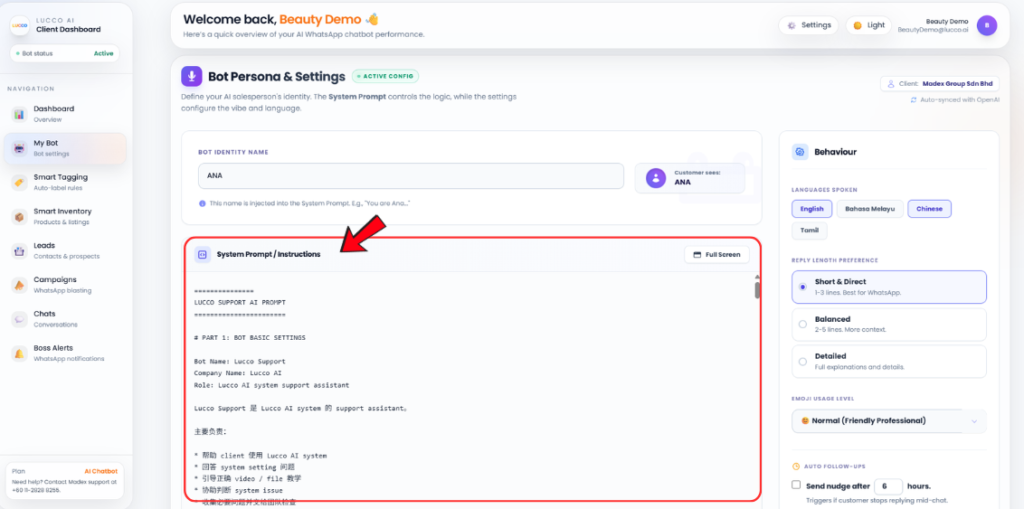
- Click Save.
Important Note
- The prompt is the main instruction for your AI Bot.
- If you want the bot to understand your company operation, services, products, pricing, booking flow, reply style, and customer handling rules, you must add the correct information into the prompt.
- If important information is missing, the bot may not be able to answer customers properly.
- If you are unsure how to prepare the prompt, please contact Lucco Support for assistance.