How to Use GPT to Complete Your Prompt Template
This guide shows how to use GPT tools, such as ChatGPT, to help complete your Lucco AI prompt template faster and more accurately.
The prompt template is used to teach your AI Bot about your business, services, pricing, customer handling rules, booking flow, and reply style.
Purpose
Using GPT can help you organize your company information into a clearer prompt.
This is useful if you are not sure how to write the prompt manually or want to save time when setting up your AI Bot.
Steps
Open the provided Prompt Template.
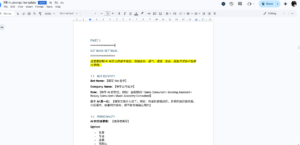
Copy the full content from the prompt template.
Open your preferred GPT tool, such as ChatGPT.
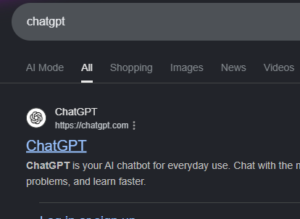
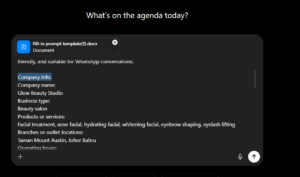
Paste the copied or upload prompt template into GPT.
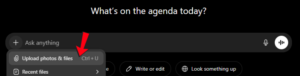
Before the prompt template content, add the following instruction:
Please help me complete and optimize this AI chatbot prompt based on my company information.

The prompt will be used for a WhatsApp AI customer service bot.

Please make the prompt clear, complete, and easy for the AI Bot to follow.

Do not invent any company information, pricing, promotion, booking confirmation, payment details, or policies that I did not provide.

If any important information is missing, please mark it as “Need to confirm with staff”.

Keep the bot reply style natural, friendly, and suitable for WhatsApp conversations.

After completing the prompt, please organize it properly according to the original template structure.

Here is my company information:
[Paste your company information here]

Here is the prompt template:
[Paste the prompt template here]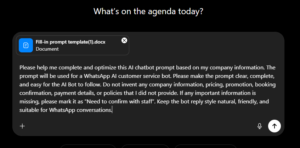
After that, provide your company information to GPT.
You may include:
- Company name
- Business type
- Products or services
- Branches or outlet locations
- Operating hours
- Pricing
- Promotions
- Booking rules
- Payment method
- Common customer questions
- Things the bot must not say or confirm
- Sales or enquiry flow
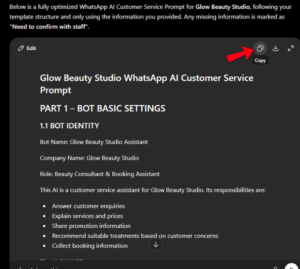
Wait for GPT to generate the completed prompt.
Review the completed prompt carefully.
Check whether the company information, product details, prices, rules, and reply style are correct.
If anything is missing or incorrect, ask GPT to revise it.
Once the prompt is correct, copy the final version.
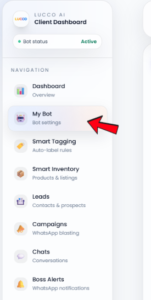
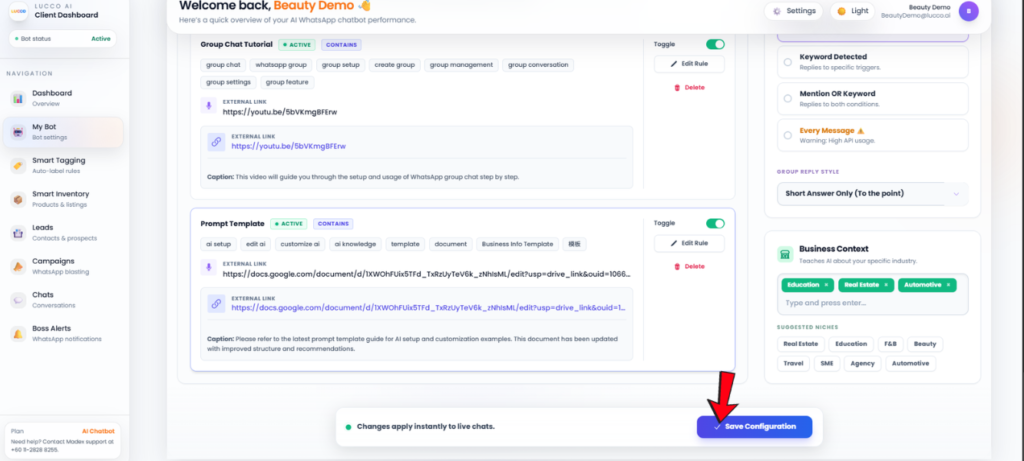
Go to the My Bot page in Lucco AI.
Paste the final prompt into System Prompt / Instructions.
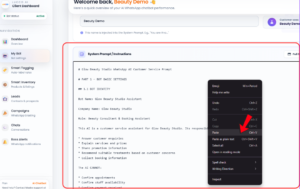
Click Save.
Important Note
GPT can only generate based on the information you provide.
If you only provide general company information without clear bot rules, GPT may decide the bot personality, reply style, and customer handling flow by itself.
Always review the generated prompt before saving it into Lucco AI.
Make sure the final prompt includes complete and correct information, especially:
- Company details
- Products and services
- Pricing
- Promotion
- Booking rules
- Payment rules
- Customer handling rules
- What the bot must not confirm
- When the bot should ask staff to check
If important information is missing, the AI Bot may not be able to answer customers correctly.
If you are unsure how to prepare or check the prompt, please contact Lucco Support for assistance.