How can we help?
How to Turn On / Off AI for a Specific Customer
Steps
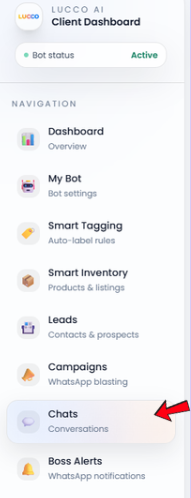
Open the Chat page.
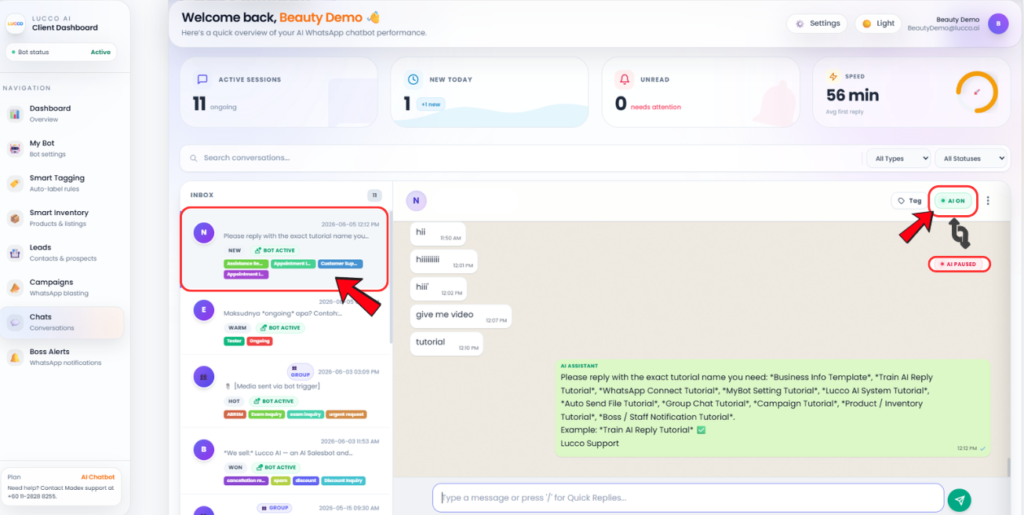
Select the customer chat you want to manage.
On the top right side of the customer chat, look for the AI On / AI Off button.
Click AI Off if you want to stop the AI from replying to this customer.
Click AI On if you want the AI to reply to this customer again.
This setting only affects the selected customer chat.
Important Note
The AI On / AI Off button is only for one specific customer.
Turning off AI for one customer will not affect other customers.
This is useful when your staff wants to manually follow up, handle booking, confirm order, prepare quotation, or manage a sensitive customer conversation.