How can we help?
How to Setup My Bot
This step shows how to set up your AI Bot profile in the Lucco AI system.
Steps
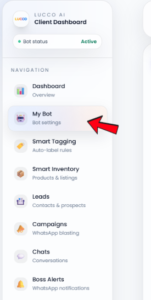
- Open the My Bot page.
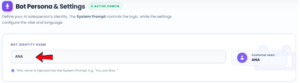
- Under Bot Identity Name, enter your bot name.
- This name will be used inside the system prompt.
For example: “You are Ana…”
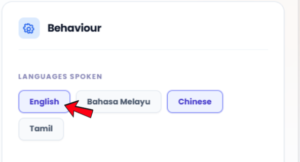
- Select the languages your bot can speak under Languages Spoken.
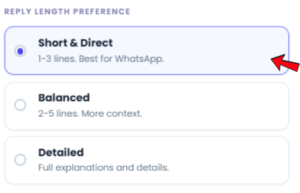
- Choose the preferred message length under Reply Length Preference.
- You can choose how short or detailed the bot replies should be.
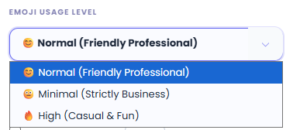
- Select the bot emoji style under Emoji Usage Level.
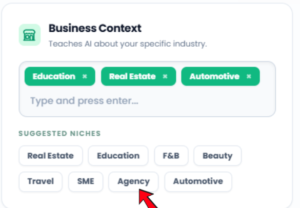
- Choose a suitable business type under Business Context and Suggested Niches.
- After completing the setup, click Save.
Important Note
- The most important part is the System Prompt / Instructions section.

- If you want the AI Bot to understand your company operation, services, products, pricing, booking rules, and customer handling flow, you must add your company information into the prompt.
- You may read “How to Write Prompt in System” to learn how to prepare a proper prompt for your AI Bot.