How can we help?
How to Use Start AI Logic
Start AI Logic allows the system to start the AI Bot again when a specific keyword is detected.
This is useful when your staff has finished handling the customer and wants the AI to continue replying again.
Steps
Click the Settings button at the top navigation bar.

Open Bot Logic Settings.
Go to Start AI Logic.
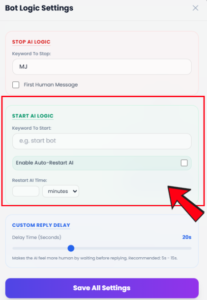
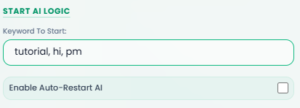
Under Keyword To Start, enter the keyword you want to use to start the AI again.
- Example: hi, pm, tutorial
If you want the system to restart AI automatically, enable Auto-Restart AI.
Set the Restart AI Time.
- Choose the time unit, such as minutes.

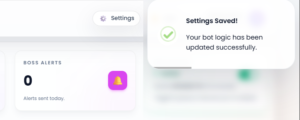
Click Save All Settings.
The Start AI Logic setting will be saved.
Important Note
- Start AI Logic helps your team turn the AI back on after manual handling.
- If Auto-Restart AI is enabled, the AI can restart automatically after the selected time.
- Please set a suitable restart time so the AI does not resume too early while staff is still handling the conversation.